In this experiment, we test the functionality of the file
system commands. These commands
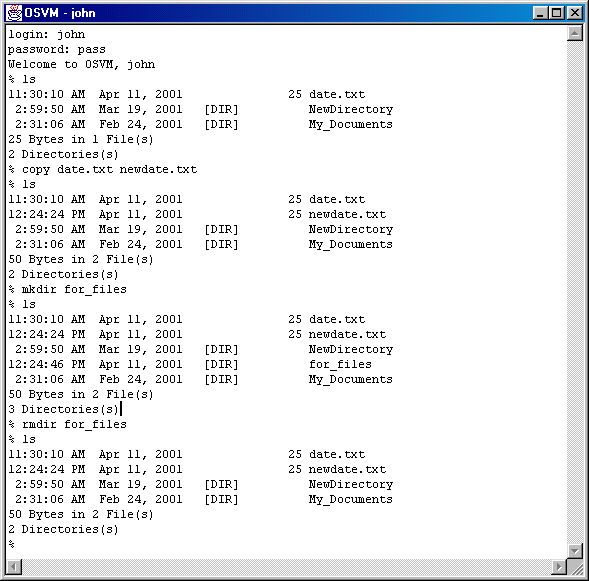
include ls, cat, mkdir, rmdir, edit, rm, cd, and copy.
A description of each of these commands can be found in the system
specifications section of this report. The demonstrations of them working
is shown in the photos below.
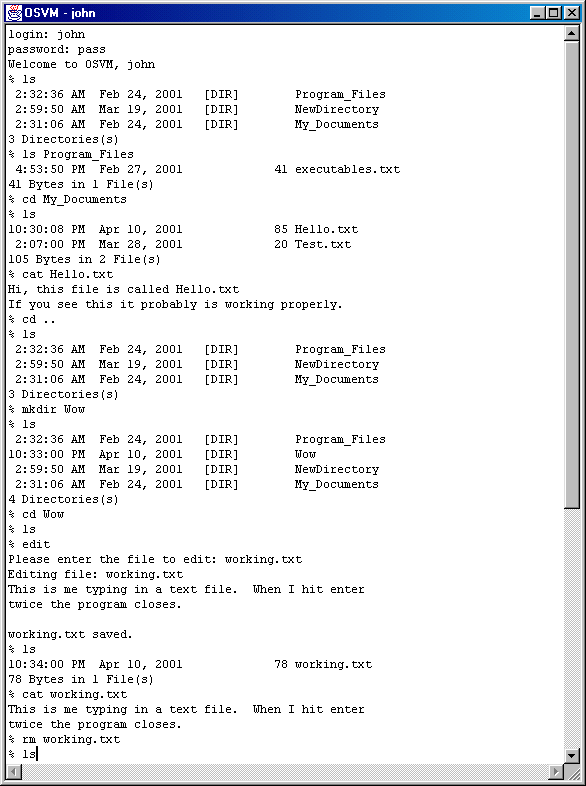
In the photo below is a listing done by typing ‘ls’.
Our expected result is a listing of all the files and directories within
the current user directory. The
result is the correct expected output. This
is followed by further testing of the ‘ls’ command by giving it arguments,
such as other directories to show the listing for, etc.
Next is the ‘cat’ command.
This command takes arguments, which are files, and appends them together
and outputs the result as one file. The
output can be to STDOUT, a pipe, or a file.
In our example we only give one argument, and the output is STDOUT,
therefore, the single file is printed to the screen. The result is the correct expected output.
We then create a new directory using ‘mkdir’.
We create the directory ‘Wow’. We
then confirm that this directory has been created by issuing another ‘ls’
command to show the contents of the directory.
Now we will edit a file.
This will prompt the user for the filename and then create the file.
Whatever the user types is then saved into the file.
This is confirmed by issuing a ‘ls’ command to show that the file was
created, and a ‘cat’ command to show the contents of the file.
The result is the correct expected output.
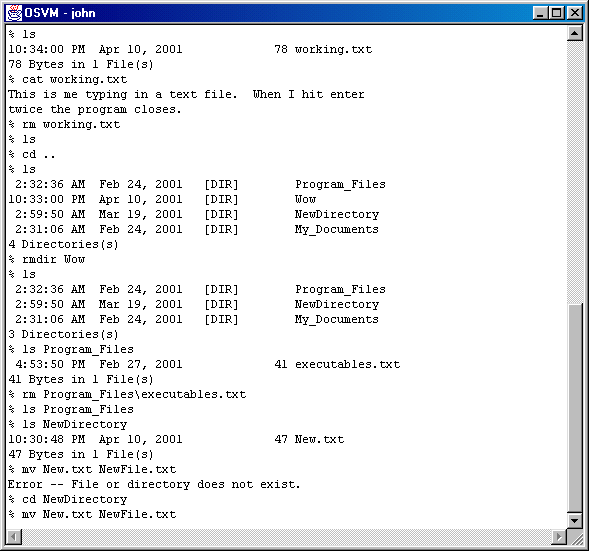
We remove the file just created to show the functionality
of the ‘rm’ command. We show
this works by issuing another ‘ls’ command to show that the file has been
removed. Similarly, we remove a
directory using the ‘rmdir’ command. Both
commands produce the desired results. Further
testing shows deleting files inside another directory, etc.
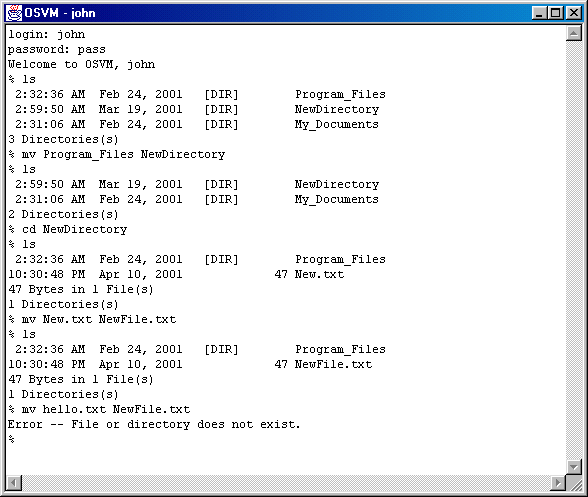
Next we move a file from one filename to another. We do the same with a directory. Both are confirmed using the ‘ls’ command. And further testing is done, by trying to move a file that does not exist. The result is the expected output.
The following executions show how the file system operates. The commands tested are ls, cat, mkdir, rmdir, edit, rm, cd, and copy.